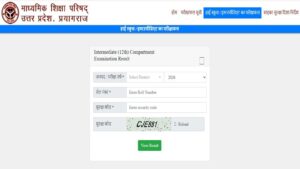



The Uttar Pradesh Madhyamik Shiksha Parishad (UPMSP) is expected to declare the UP Class 10th and Class 12th compartment results 2026 soon on its official website. Candidates who appeared for the compartment exam will be able to check their results online by visiting the official UPMSP website, upmsp.edu.in. once the link is activated.
However, the UP board has not yet released the tentative date and time of result announcement. The UP Board compartmental exam was held on July 28, 2026, and about 42,078 students appeared for the exam to pass one or more subjects in which they had failed in the board exams.
UPMSP Compartment Result 2026 Expected Date
UP Board conducted the High School and Intermediate Compartment examinations on 28 July 2026 in two shifts across designated examination centres in the state. Some media reports indicate that the board may publish the results during the first week of August. Students must be advised to rely only on the official UPMSP website for confirmed announcements of the results.
UP Board Compartment Result 2026 Overview
Although the UP board has not revealed the exact result declaration date. Last year, UP board compartment result came out on 6 th August, 2025 which was held on 26th July, 2025.
| Particular | Details |
|---|---|
| Exam Name | UP Board Compartment/Improvement Exam 2026 |
| Conducting Authority | Uttar Pradesh Madhyamik Shiksha Parishad (UPMSP) |
| Classes | Class 10 & Class 12 |
| Exam Date | 28 July 2026 |
| Result Status | Expected Soon |
| Expected Result Date | First Week of August 2026 |
| Official Websites | upmsp.edu.in, results.upmsp.edu.in |
How to Check UP Board Compartment Result 2026
Students can follow these simple steps to check and download their UP Board compartment exam results 2026 once declared on the official portal.
- Go to upmsp.edu.in or results.upmsp.edu.in
- Click on the appropriate link – either “UP Board High School Compartment & Improvement Result 2026” or “UP Board Intermediate Compartment & Improvement Result 2026”
- Provide your 7-digit Roll Number, School Code, and the security captcha displayed on the screen
- Click on the “View Result” or “Submit” button
- Your result will appear on the screen.
- Download and save the provisional marksheet for future reference.
UP Board Compartment Result 2026 Passing Criteria
To pass the exam, each student needs to secure at least 33% marks in each subject. For those students who score less than 33% in a subject, the UPMSP has announced a new scheme that will help improve the pass percentage.
According to this new scheme, students who score two or more marks below the pass mark in any subject will be given grace marks to clear the subject and pass the examination overall.
What is the official website to check UP Board Compartment Result 2026?
How many students appeared for UP Board Compartment Exam 2026?
Can I check my result via DigiLocker?
Last Updated on August 3, 2026 2:14 pm