

The Union Public Service Commission has released the UPSC Civil Services (Main) Examination 2026 admit card on 14 August 2026. Eligible candidates who cleared the Civil Services Preliminary Examination can download their UPSC CSE Mains 2026 hall ticket from the official website, upsc.gov.in.
The UPSC CSE Mains examination 2026 will be held from August 21 to August 30, 2026 across the various examination centres. Candidates must advise that appearing for the written examination should download the e-admit card well in advance.
UPSC CSE Mains 2026 Admit Card Overview
| Particular | Details |
|---|---|
| Exam Name | Civil Services (Main) Examination, 2026 |
| Conducting Body | Union Public Service Commission (UPSC) |
| Admit Card Release Date | August 14, 2026 |
| Mains Exam Dates | August 21, 22, 23, 29 & 30, 2026 |
| Number of Eligible Candidates | Approximately 13,343 |
| Total Vacancies | 1,016 |
| Exam Mode | Offline (Pen & Paper – Descriptive) |
| Exam Sessions | Forenoon: 9:00 AM – 12:00 PM Afternoon: 2:30 PM – 5:30 PM |
| Official Websites | upsc.gov.in upsconline.nic.in |
How to Download UPSC Mains Admit Card 2026 ?
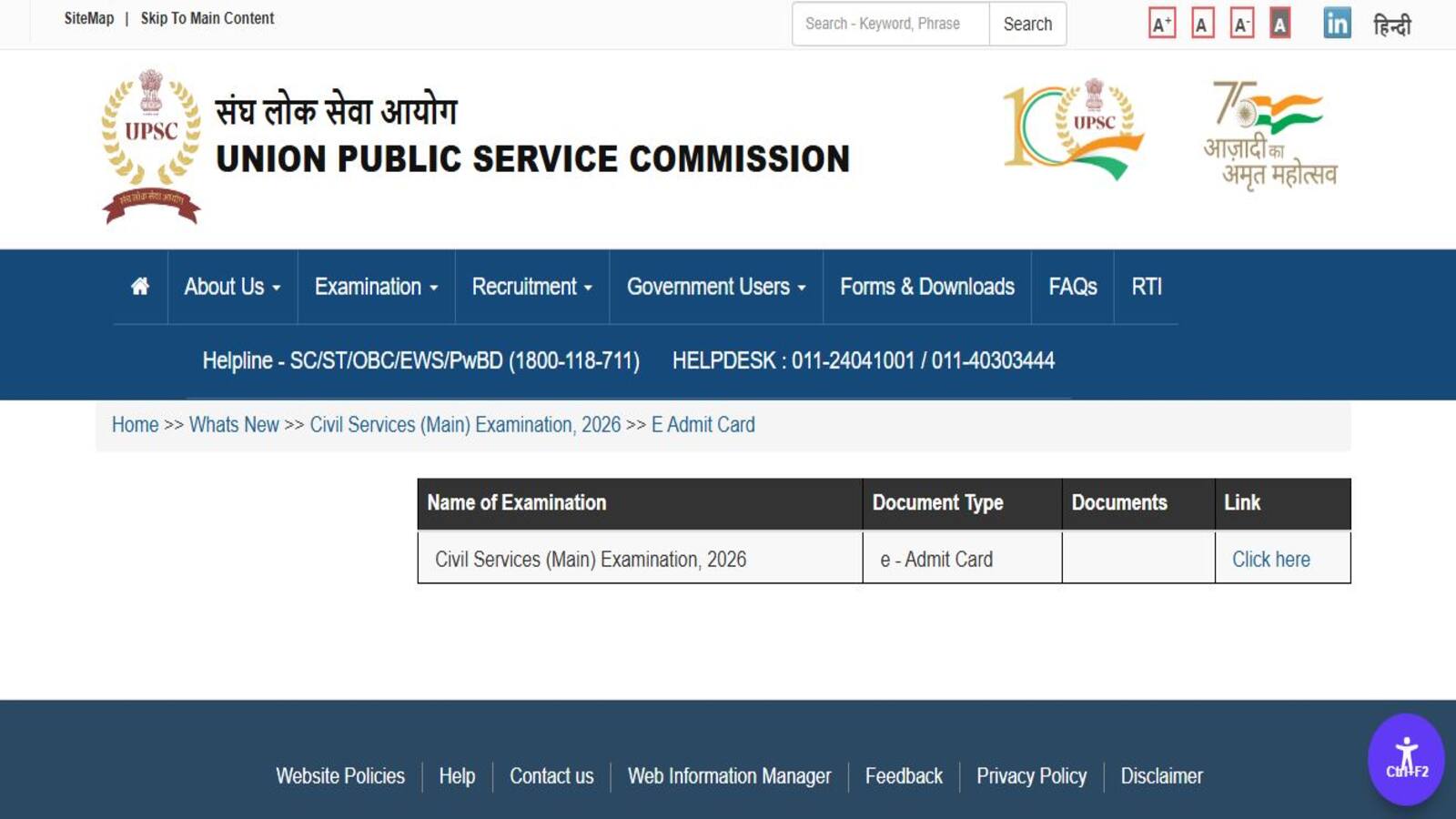
Now, the UPSC e-Admit Card is available only online. Candidates can download your UPSC CSE Mains hall ticket from the official website to follow this step-by-step simple process.
- Go to the UPSC official website at upsc.gov.in or the direct candidate portal upsconline.nic.in .
- On the homepage, click on the link for the “e-Admit Card” section .
- Find and click on the link titled “Civil Services (Main) Examination, 2026” .
- Read the important instructions displayed on the page and click “Yes” to proceed .
- Enter the required details along with your Date of Birth and the captcha code .
- Click “Submit.” Your admit card will appear on the screen.
- Download the PDF and take a clear printout for use on each day of the examination .
UPSC CSE Mains Exam 2026: Key Details & Exam Timings
The Civil Services Mains examination 2026 is a subjective, descriptive test. It is crucial for candidates to verify all details on their hall ticket.
- Verify your name, photograph, and roll number match your official documents .
- The exam will be held in two sessions daily Forenoon (9:00 AM to 12:00 PM) and Afternoon (2:30 PM to 5:30 PM).
- Confirm the full address of your designated exam centre and plan your travel accordingly.
UPSC CSE Mains 2026 Exam Schedule & Shift Timings
| Exam Date | Forenoon Session (9:00 AM – 12:00 PM) | Afternoon Session (2:30 PM – 5:30 PM) |
| August 21, 2026 | Paper I (Essay) | No Session |
| August 22, 2026 | Paper II (General Studies I) | Paper III (General Studies II) |
| August 23, 2026 | Paper IV (General Studies III) | Paper V (General Studies IV) |
| August 29, 2026 | Paper A (Indian Language) | Paper B (English Language) |
| August 30, 2026 | Paper VI (Optional Paper 1) | Paper VII (Optional Paper 2) |
UPSC CSE Mains Exam Day Guidelines
- Arrive at the centre at least 60 minutes before the reporting time mentioned on the admit card.
- Bring along with you a printed admit card and one original photo ID proof (Aadhaar, PAN, Passport, Driving License, etc.)
- Do not carry electronic devices, calculators or any other study material with you.
- Follow all guidelines and instructions given by invigilators and UPSC officials.
UPSC CSE Mains hall ticket 2026 FAQ
When was the UPSC CSE Mains 2026 admit card released?
When will the UPSC CSE Mains 2026 exam be held?
Where can I download the UPSC IAS Mains Hall Ticket?
What if I forget my Registration ID?
Last Updated on August 14, 2026 9:50 pm